Information about rates and contact with the administration at the bottom ↓
Dmitry Morozov
+7 (996) 797-39-90
skid07@mail.ru
Installation
Installing PBShoot あ on your PC
1) Choose a game from the list below.
2) Download PBShoot あ.
3) Start the game in windowed mode.
4) Run PBShoot あ as an Administrator.
5) Select the mode with the mouse wheel ( in the menu-Modes).
6) Select the mode, minimize PBShoot あ.
7) Play..
Support
Select a game from the list of supported games
About PBShoot あ
BShoot information あ
The PBShoot あ program "is a shell for running "cheats"". PBShoot あ PBShoot あ has a functionality that allows you to read the game window, making the necessary analysis: scanning the game window, scanning controls. It allows you to automate the player's actions. The program's functionality allows scanning at approximately 700 kHz / sec.
The list of supported games is constantly updated, and you can use the search for more accurate selection of the game you are interested in. In the list of supported games, you can find:: and many others that are not included in this list.
Pricing plans
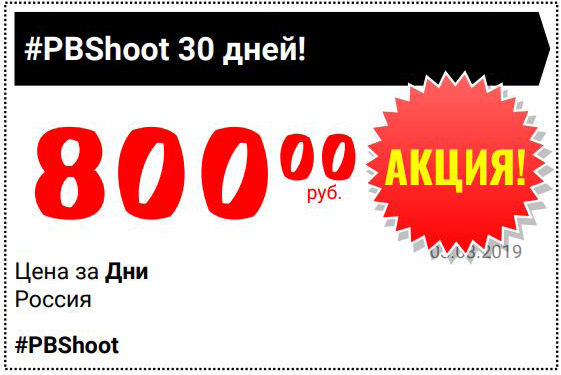
Rates for purchasing the PBShoot program あ
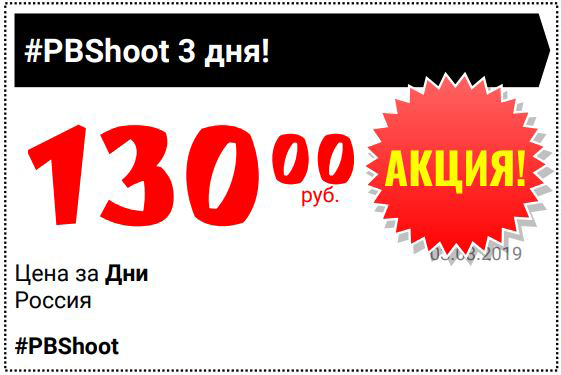
3 days
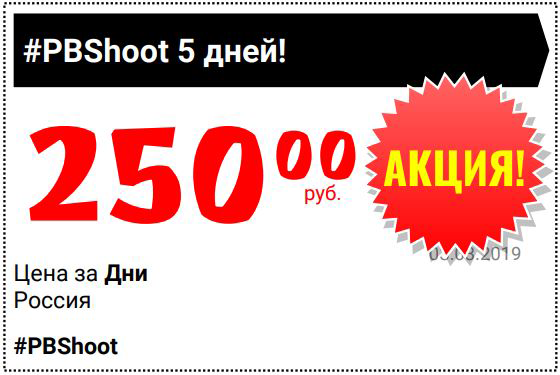
7 days
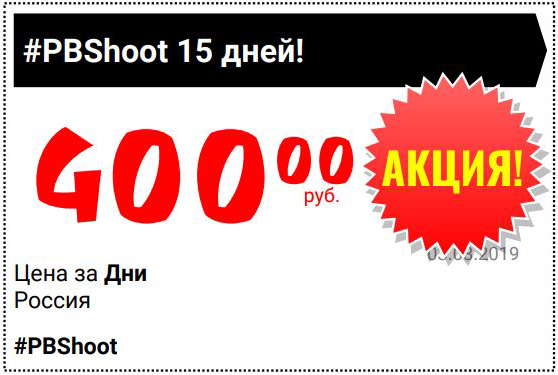
15 days
30 days
Payment method
In this section, you can pay for the full version of PBShoot あ
To make a payment, please contact intermediaries or use the forms below. after payment, click the "Contact me" button and attach the receipt and your key.
Banking details
QIWI: +79967973990 (Qiwi payment system)
Yandex.Money: 410014878368646 (Business card)
Transfer via Vkontakte
+7 (996) 797-39-90
skid07@mail.ru
The time Frame for receiving the paid product is from 1 hour to 2 business days.
A refund is issued upon the buyer's personal request. Using the contact details specified above.

Copyright © 2014 - 2026. PBShoot.